How to Configure ProxySQL for AWS RDS Blue/Green Deployments
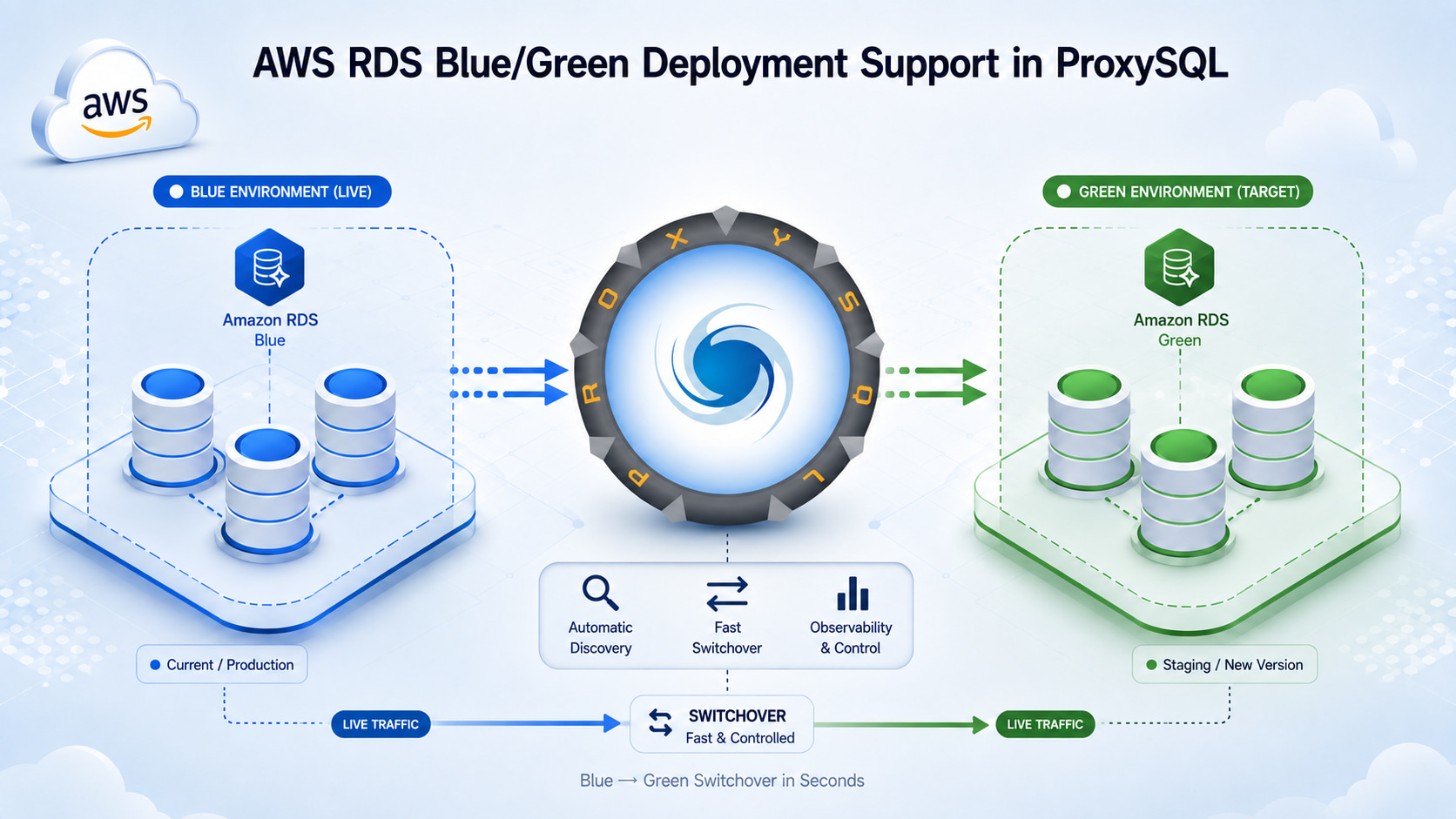
ProxySQL 3.0.10 adds support for Blue/Green Deployments on Amazon RDS for MySQL. ProxySQL can now monitor a blue/green deployment and help reduce traffic disruption during switchover. By bringing the green environment into ProxySQL’s configuration, the feature also gives users a controlled way to prepare and test it before promotion.
This guide walks through configuring the new mysql_aws_rds_bgd_hostgroups table and the green servers in ProxySQL, validating the green environment, and following the switchover through completion. For complete definitions of the variables, tables, statuses, and constraints used here, see the AWS RDS Blue/Green Deployments reference.
Before you begin
You need:
- ProxySQL 3.0.10 or newer.
- An RDS MySQL Multi-AZ DB instance.
- An AWS account with permissions to create and switch a Blue/Green Deployment.
- A configured AWS CLI if you prefer using the command line.
- A ProxySQL monitor account that can query
information_schema.TABLESandmysql.rds_topologyon the RDS endpoints, configured throughmysql-monitor_usernameandmysql-monitor_password. - Working DNS resolution and network access from ProxySQL to both environments. Paired blue and green endpoints must use the same port and belong to only one active deployment.
ProxySQL follows the switchover that you initiate in AWS. It does not create the deployment or decide whether the green environment is ready. Plan for a connection interruption: the AWS switchover procedure includes dropping database connections. Your application must be able to reconnect and handle failed transactions.
Hostgroup layout
This walkthrough uses the following hostgroups:
| Environment | Role | Hostgroup |
|---|---|---|
| Blue | Writer | 10 |
| Blue | Readers | 20 |
| Green | Writer | 110 |
| Green | Readers | 120 |
1. Configure the blue writer and readers
Note: If the blue writer and readers are already configured in mysql_servers and their hostgroups are paired in mysql_replication_hostgroups, skip this step.
Obtain the RDS endpoints for the blue writer and readers from the AWS console. If you use the AWS CLI, the following command lists the identifiers and endpoints for all MySQL DB instances:
aws rds describe-db-instances \
  --filters "Name=engine,Values=mysql" \
  --query 'DBInstances[].{DBInstanceIdentifier:DBInstanceIdentifier,Endpoint:Endpoint.Address,Port:Endpoint.Port,ReplicaSource:ReadReplicaSourceDBInstanceIdentifier}' \
  --output table
Add the writer to hostgroup 10 and the readers to hostgroup 20.
-- Replace the example hostnames with the blue writer and reader endpoints from your deployment.
INSERT INTO mysql_servers (
    hostgroup_id,
    hostname,
    port,
    use_ssl,
    comment
)
VALUES
    (10, 'database-1.c1yqcg0ie39o.eu-north-1.rds.amazonaws.com',
     3306, 1, 'blue writer'),
    (20, 'database-1-reader-1.c1yqcg0ie39o.eu-north-1.rds.amazonaws.com',
     3306, 1, 'blue reader 1'),
    (20, 'database-1-reader-2.c1yqcg0ie39o.eu-north-1.rds.amazonaws.com',
     3306, 1, 'blue reader 2');

INSERT INTO mysql_replication_hostgroups (
    writer_hostgroup,
    reader_hostgroup,
    comment
)
VALUES (10, 20, 'database-1 RDS writer and readers');

LOAD MYSQL SERVERS TO RUNTIME;
SAVE MYSQL SERVERS TO DISK;
Confirm that both hostgroups are online at runtime:
SELECT hostgroup_id, hostname, port, status
FROM runtime_mysql_servers
WHERE hostgroup_id IN (10, 20)
ORDER BY hostgroup_id, hostname;
Example output:
+--------------+---------------------------------------------------------------+------+--------+
| hostgroup_id | hostname                                                      | port | status |
+--------------+---------------------------------------------------------------+------+--------+
| 10           | database-1.c1yqcg0ie39o.eu-north-1.rds.amazonaws.com          | 3306 | ONLINE |
| 20           | database-1-reader-1.c1yqcg0ie39o.eu-north-1.rds.amazonaws.com | 3306 | ONLINE |
| 20           | database-1-reader-2.c1yqcg0ie39o.eu-north-1.rds.amazonaws.com | 3306 | ONLINE |
+--------------+---------------------------------------------------------------+------+--------+
2. Configure the Blue/Green hostgroups
Map the blue hostgroups to the green hostgroups:
INSERT INTO mysql_aws_rds_bgd_hostgroups (
    writer_hostgroup,
    reader_hostgroup,
    green_writer_hostgroup,
    green_reader_hostgroup,
    writer_is_also_reader,
    comment
)
VALUES (
    10,
    20,
    110,
    120,
    0,
    'database-1 RDS blue/green deployment'
);

LOAD MYSQL SERVERS TO RUNTIME;
SAVE MYSQL SERVERS TO DISK;
3. Create the RDS Blue/Green Deployment
Follow the AWS documentation to create a Blue/Green Deployment.
After AWS creates the deployment, ProxySQL detects it through the configured blue writer. Monitor the runtime table until the deployment reports AVAILABLE:
SELECT
    writer_hostgroup,
    reader_hostgroup,
    green_writer_hostgroup,
    green_reader_hostgroup,
    status
FROM runtime_mysql_aws_rds_bgd_hostgroups
WHERE writer_hostgroup = 10;
Example output:
+------------------+------------------+------------------------+------------------------+-----------+
| writer_hostgroup | reader_hostgroup | green_writer_hostgroup | green_reader_hostgroup | status    |
+------------------+------------------+------------------------+------------------------+-----------+
| 10               | 20               | 110                    | 120                    | AVAILABLE |
+------------------+------------------+------------------------+------------------------+-----------+
When the deployment becomes available, ProxySQL adds the green writer to hostgroup 110. Confirm that it is online:
SELECT hostgroup_id, hostname, port, status
FROM runtime_mysql_servers
WHERE hostgroup_id = 110;
Example output:
+--------------+-------------------------------------------------------------------+------+--------+
| hostgroup_id | hostname                                                          | port | status |
+--------------+-------------------------------------------------------------------+------+--------+
| 110          | database-1-green-abc123.c1yqcg0ie39o.eu-north-1.rds.amazonaws.com | 3306 | ONLINE |
+--------------+-------------------------------------------------------------------+------+--------+
4. Add the green readers
Unlike the green writer, green readers are not discovered automatically because AWS does not include their mappings in the topology information available to ProxySQL. They must be added manually.
To retrieve the green reader information, use the following AWS CLI commands:
# Retrieve the deployment identifier.
aws rds describe-blue-green-deployments \
  --query 'BlueGreenDeployments[].{Name:BlueGreenDeploymentName,Identifier:BlueGreenDeploymentIdentifier}' \
  --output table

# List the source and target resources.
aws rds describe-blue-green-deployments \
  --blue-green-deployment-identifier "<blue-green-deployment-id>" \
  --query 'BlueGreenDeployments[0].SwitchoverDetails[].{Blue:SourceMember,Green:TargetMember,Status:Status}' \
  --output table

# Retrieve the green reader endpoints.
aws rds describe-db-instances \
  --filters "Name=db-instance-id,Values=<green-reader-1-id>,<green-reader-2-id>" \
  --query 'DBInstances[].{Identifier:DBInstanceIdentifier,Endpoint:Endpoint.Address,Port:Endpoint.Port}' \
  --output table
Add the green reader endpoints to hostgroup 120:
-- Replace the example hostnames with the green reader endpoints from your deployment.
INSERT INTO mysql_servers (
    hostgroup_id,
    hostname,
    port,
    use_ssl,
    comment
)
VALUES
    (120, 'database-1-reader-1-green-def456.c1yqcg0ie39o.eu-north-1.rds.amazonaws.com',
     3306, 1, 'green reader 1'),
    (120, 'database-1-reader-2-green-ghi789.c1yqcg0ie39o.eu-north-1.rds.amazonaws.com',
     3306, 1, 'green reader 2');

LOAD MYSQL SERVERS TO RUNTIME;
SAVE MYSQL SERVERS TO DISK;
The green writer and readers are now configured in ProxySQL and ready for pre-switchover validation.
5. Prepare for switchover
Before initiating the switchover, follow the AWS switchover guide, complete the required readiness checks, and confirm that the green environment is ready.
With the green writer and readers available in dedicated hostgroups, you can also validate the green environment through ProxySQL:
- Use query rules to route selected users, schemas, or query patterns to green for targeted functional and performance testing.
- Use query mirroring to copy selected read traffic to the green reader hostgroup and compare its behavior and performance while the original queries continue to run on blue.
6. Initiate switchover
In the AWS console:
- Open Amazon RDS → Databases and select the Blue/Green Deployment.
- Choose Actions → Switch over.
- Review the source and target resources and set the switchover timeout.
- Choose Switch over.
You can also initiate the switchover with the AWS CLI:
aws rds switchover-blue-green-deployment \
  --blue-green-deployment-identifier "<blue-green-deployment-id>" \
  --switchover-timeout 600
7. Observe ProxySQL during the switchover
Run this query repeatedly to follow ProxySQL’s view of the deployment:
SELECT
    writer_hostgroup,
    reader_hostgroup,
    green_writer_hostgroup,
    green_reader_hostgroup,
    status
FROM runtime_mysql_aws_rds_bgd_hostgroups
WHERE writer_hostgroup = 10;
Example output during writer switchover:
+------------------+------------------+------------------------+------------------------+-------------------------------+
| writer_hostgroup | reader_hostgroup | green_writer_hostgroup | green_reader_hostgroup | status                        |
+------------------+------------------+------------------------+------------------------+-------------------------------+
| 10               | 20               | 110                    | 120                    | WRITER_SWITCHOVER_IN_PROGRESS |
+------------------+------------------+------------------------+------------------------+-------------------------------+
What happens during switchover
The following table explains what happens during each switchover phase:
| Status | What happens |
|---|---|
AVAILABLE | The deployment is ready, but the switchover has not started. Production traffic continues to use the blue environment, while the dedicated green hostgroups remain available for testing. |
WRITER_SWITCHOVER_INITIATED | AWS has started the switchover. Application traffic continues to use the blue environment, with no routing change yet. |
WRITER_SWITCHOVER_IN_PROGRESS | AWS changes the blue writer to read-only, causing ProxySQL to remove it from the writer hostgroup. Until the green writer is promoted, queries routed to the writer hostgroup either wait for a server to become available, increasing latency, or fail if their timeout expires. Queries routed to the reader hostgroup continue through its available servers. |
WRITER_SWITCHOVER_POST_PROCESSING | AWS has promoted the green writer, but DNS propagation is not yet complete. ProxySQL immediately makes the promoted instance available through the writer hostgroup without waiting for the DNS update. Queries waiting to acquire an available writer can proceed against the promoted instance, subject to their connection and query timeouts. This does not replay a transaction that was already sent to the old writer. ProxySQL retires backend connections to the former blue servers. AWS can also close connections during the switchover, so clients must handle disconnects and reconnect to the promoted environment. |
WRITER_SWITCHOVER_COMPLETED | The writer transition is complete, and queries routed to the writer hostgroup are served by the promoted instance. This status is brief and normally advances immediately to READER_SWITCHOVER_IN_PROGRESS. |
READER_SWITCHOVER_IN_PROGRESS | AWS is transitioning the reader endpoints. ProxySQL routes queries destined for the reader hostgroup through the promoted instances without waiting for the DNS updates to propagate. |
SWITCHOVER_COMPLETED | ProxySQL has observed writer completion followed by topology drain and is restoring normal DNS resolution and reader placement. This is a temporary cleanup state before the status returns to NONE. |
NONE | No Blue/Green Deployment is available. |
How connection retirement works
During post-processing, ProxySQL pins the mapped blue hostnames to resolved green IP addresses. Applications keep using the same ProxySQL endpoint while new backend connections reach the promoted instances without waiting for the blue hostname’s DNS update.
Free backend connections to the old endpoint are removed immediately. In-use connections are marked unhealthy and non-reusable, then destroyed when released instead of returning to the pool. This retirement policy cannot prevent AWS from closing a connection or preserve an interrupted transaction. Reconnect when needed, check the transaction outcome, and retry only when it is safe for the application; a lost response to COMMIT must not be treated as proof that the transaction rolled back.
If the switchover is cancelled or rolls back
ProxySQL distinguishes a successful topology query that returns no rows from a network error or query timeout:
| Observation | ProxySQL response |
|---|---|
| Topology drains before writer completion, or a recognized backward transition occurs | Run rollback cleanup: undo DNS pins, restore writer/reader placement, and unshun readers owned by that monitor worker. |
| Topology drains after writer completion | Run normal reader cleanup and return to NONE. |
| A connection or topology query fails for another reason | Retain the current state and retry on a later poll. A network error alone is not a completion signal. |
The topology metadata describes the writer transition, with no separate reader switchover status. Using the later topology drain as the reader-cleanup signal is ProxySQL policy based on observed behavior, rather than an AWS guarantee about reader DNS propagation.
8. Verify server placement
After the runtime deployment status returns to NONE, verify that the servers are in their expected hostgroups and are ONLINE:
SELECT hostgroup_id, hostname, port, status
FROM runtime_mysql_servers
WHERE hostgroup_id IN (10, 20, 110, 120)
ORDER BY hostgroup_id, hostname;
Example output:
+--------------+----------------------------------------------------------------------------+------+--------+
| hostgroup_id | hostname                                                                   | port | status |
+--------------+----------------------------------------------------------------------------+------+--------+
| 10           | database-1.c1yqcg0ie39o.eu-north-1.rds.amazonaws.com                       | 3306 | ONLINE |
| 20           | database-1-reader-1.c1yqcg0ie39o.eu-north-1.rds.amazonaws.com              | 3306 | ONLINE |
| 20           | database-1-reader-2.c1yqcg0ie39o.eu-north-1.rds.amazonaws.com              | 3306 | ONLINE |
| 110          | database-1-green-abc123.c1yqcg0ie39o.eu-north-1.rds.amazonaws.com          | 3306 | ONLINE |
| 120          | database-1-reader-1-green-def456.c1yqcg0ie39o.eu-north-1.rds.amazonaws.com | 3306 | ONLINE |
| 120          | database-1-reader-2-green-ghi789.c1yqcg0ie39o.eu-north-1.rds.amazonaws.com | 3306 | ONLINE |
+--------------+----------------------------------------------------------------------------+------+--------+
ProxySQL keeps the green servers in their configured hostgroups after the switchover. They eventually move to SHUNNED when their endpoints stop resolving in DNS.
Alternative: use automatic discovery
So far, this walkthrough has used explicit green hostgroups. If you prefer a simpler setup, ProxySQL can instead generate a basic Blue/Green Deployment configuration at runtime from an existing writer and reader hostgroup pair. The trade-offs are described in the following section.
To enable automatic discovery, configure the following variables:
SET mysql-aws_blue_green_deployment_auto_discovery = 1;
SET mysql-monitor_aws_rds_topology_discovery_interval = 1;

LOAD MYSQL VARIABLES TO RUNTIME;
SAVE MYSQL VARIABLES TO DISK;
Once automatic discovery is in place, create the AWS deployment. After ProxySQL discovers it, verify the generated runtime configuration:
SELECT
    writer_hostgroup,
    reader_hostgroup,
    green_writer_hostgroup,
    green_reader_hostgroup,
    auto_generated,
    status
FROM runtime_mysql_aws_rds_bgd_hostgroups
WHERE writer_hostgroup = 10;
Example output:
+------------------+------------------+------------------------+------------------------+----------------+-----------+
| writer_hostgroup | reader_hostgroup | green_writer_hostgroup | green_reader_hostgroup | auto_generated | status    |
+------------------+------------------+------------------------+------------------------+----------------+-----------+
| 10               | 20               | NULL                   | NULL                   | 1              | AVAILABLE |
+------------------+------------------+------------------------+------------------------+----------------+-----------+
You can then check the deployment’s readiness and initiate switchover without adding dedicated green hostgroups.
Automatic discovery vs. explicit green hostgroups
Because automatic discovery does not configure green hostgroups, it has two trade-offs compared with the explicit approach:
-
ProxySQL is not aware of the green readers because AWS does not expose their mapping in the topology information. From
WRITER_SWITCHOVER_POST_PROCESSINGuntilSWITCHOVER_COMPLETED, ProxySQL routes queries destined for both the writer and reader hostgroups through the promoted writer, temporarily increasing the load on that server. -
Without dedicated green hostgroups, you cannot use ProxySQL for the same controlled testing and readiness checks on the green environment before the switchover starts.
The writer switchover phases and connection handling are the same in both modes.
Operational limits
- The feature covers RDS for MySQL Multi-AZ DB instance Blue/Green Deployments. Aurora, RDS Multi-AZ DB Clusters, and PostgreSQL use different monitoring paths.
- In-progress switchover state, DNS pins, and cleanup bookkeeping do not survive a ProxySQL process restart. Avoid restarting during the operation; if it happens, verify runtime placement, DNS, and connection health explicitly.
- Auto-generated deployment rows are runtime-only.
SAVE MYSQL SERVERS TO DISKdoes not turn them into persistent explicit configuration; keep the blue configuration and discovery variables persistent so discovery can run again. - Cleanup is best effort. After cancellation, a failed operation, or a process interruption, confirm the expected writer and readers are online before returning to normal traffic levels.
Conclusion
With Blue/Green Deployment support in ProxySQL, the green environment no longer sits outside the normal ProxySQL routing path. Explicit green hostgroups bring the environment under the same routing controls used for production traffic, while automatic discovery remains available when a simpler configuration is preferred. In both cases, ProxySQL helps reduce traffic interruption by routing traffic to the green instances as soon as AWS promotes them, without waiting for DNS propagation.